
Run WhatsApp campaigns from your phone
BotMaster Plus brings bulk campaigns, auto-replies and contact tools to your Android phone. Link your business numbers, import contacts and send personalised messages safely.
- Multiple numbers
- Bulk campaigns
- Buttons and media
- Scheduling
- Auto-reply and AI
- Data stays on your phone
Everything your WhatsApp marketing needs
The tools of the BotMaster desktop app, rebuilt for Android.
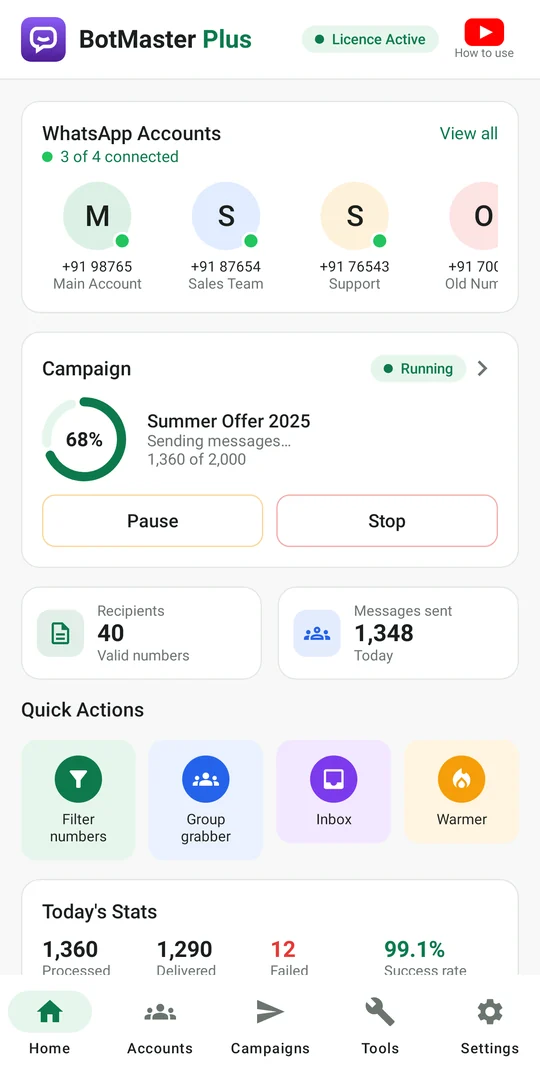
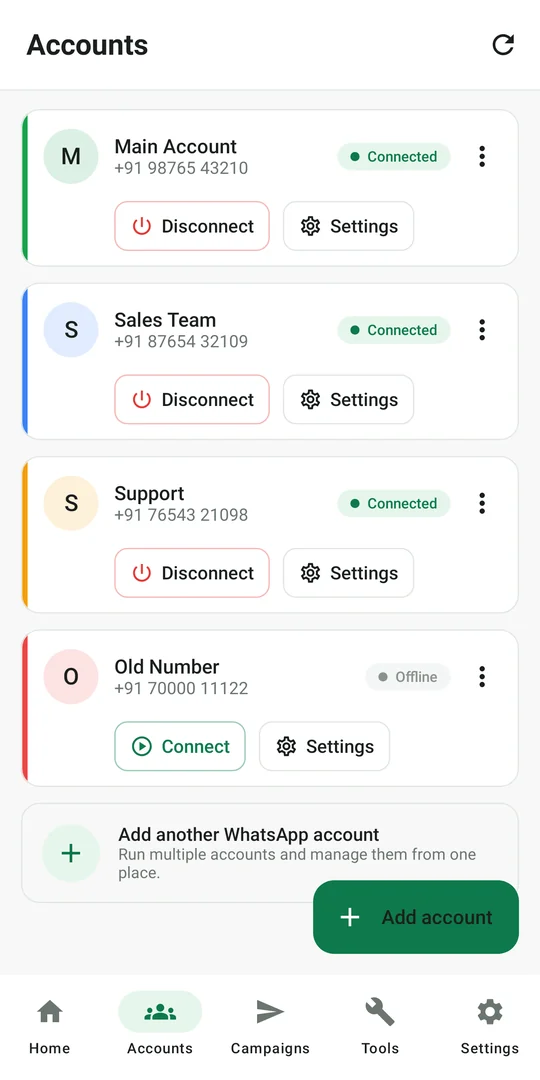
Many numbers, one app
Link several WhatsApp numbers with a pairing code or QR and see at a glance which are online.
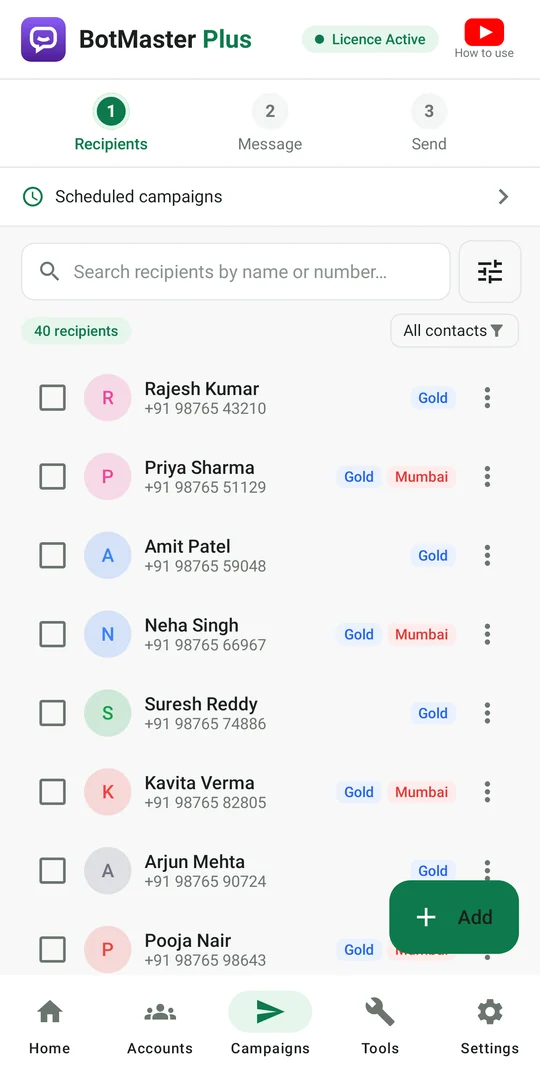
Import contacts in seconds
Excel, CSV and text files, your phone contacts or your WhatsApp contacts, with country codes added for you.
Personal, not robotic
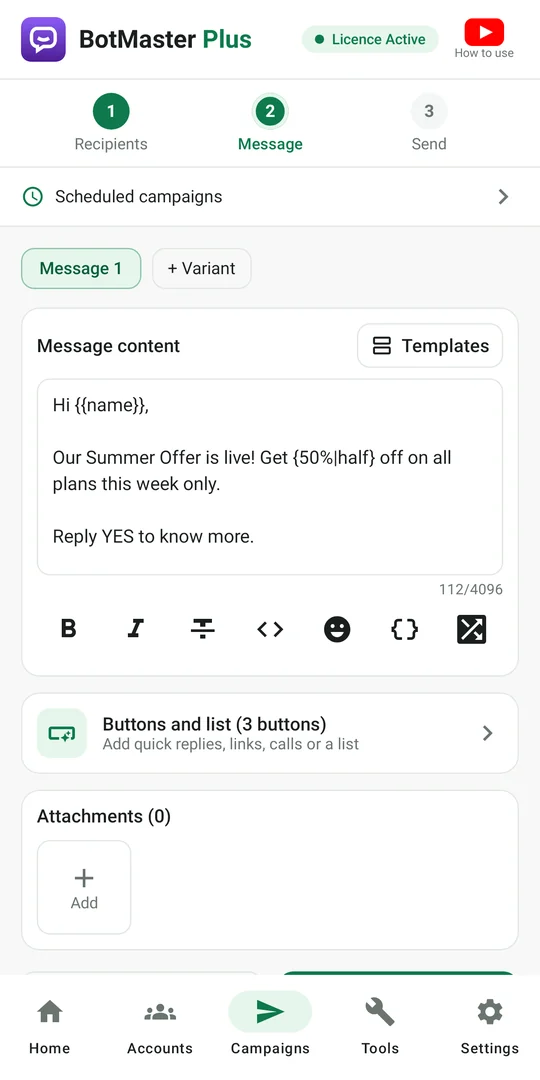
Use names and your own columns in every message, add variants and spin text so no two messages are the same.
Media and buttons
Send images, videos, documents and voice notes, with quick-reply, link, call and copy-code buttons or a list.
Safe sending
Rotate numbers, random delays, rest breaks and an optional sending window keep your numbers healthy.
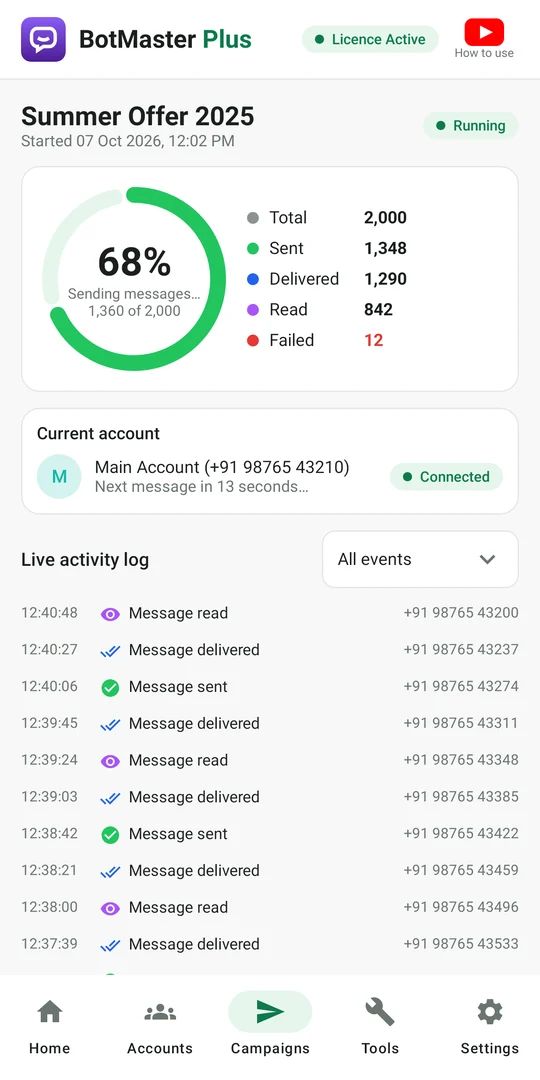
Live progress and reports
Sent, delivered, read and failed counts as they happen, shareable reports, and one-tap resend to failed numbers.
Scheduling and templates
Plan campaigns for later and save your best messages, with buttons and attachments, as templates.
Auto-reply, day and night
Welcome new customers, answer keywords instantly, or let your own AI key (Claude, ChatGPT, Gemini, DeepSeek) reply.
Watch a campaign run
Every message is personalised, sent with a safe delay and tracked until it is read.
-
RRajesh+91 98•••• 4101
-
PPriya+91 97•••• 2208
-
AAmit+91 99•••• 7315
-
NNeha+91 90•••• 5542
-
SSuresh+91 88•••• 0679
Demo with fictional contacts.
Designed for your phone
Clean, fast and easy to use, in light or dark mode.
More than sending
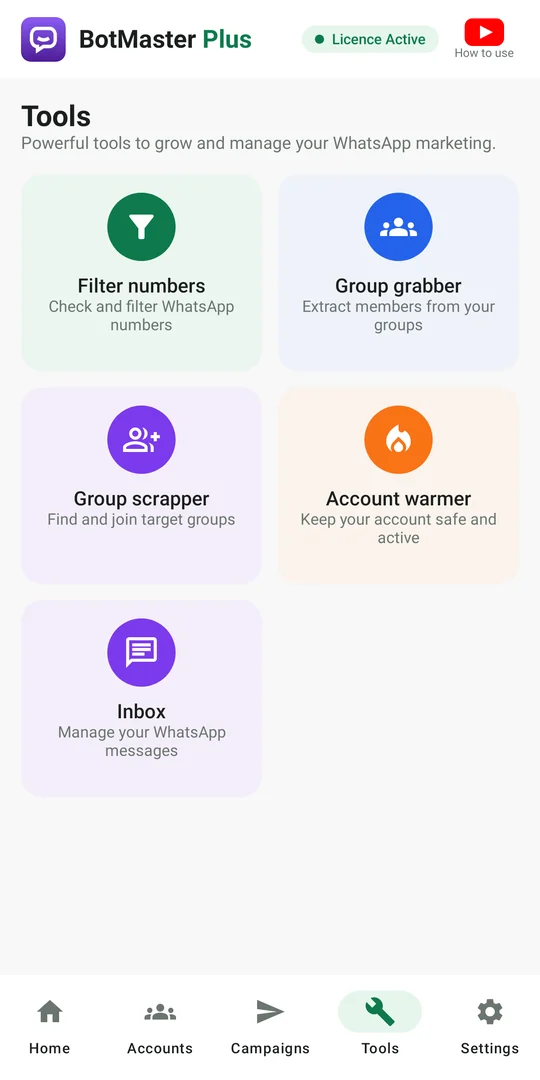
Filter numbers
Find out which numbers use WhatsApp and which are business accounts before you send.
Group grabber
Extract members of the groups you are in and add them to your recipients.
Group finder
Collect group invite links from text or web pages, check them and join.
Account warmer
Keep new numbers active with natural conversations between your own numbers.
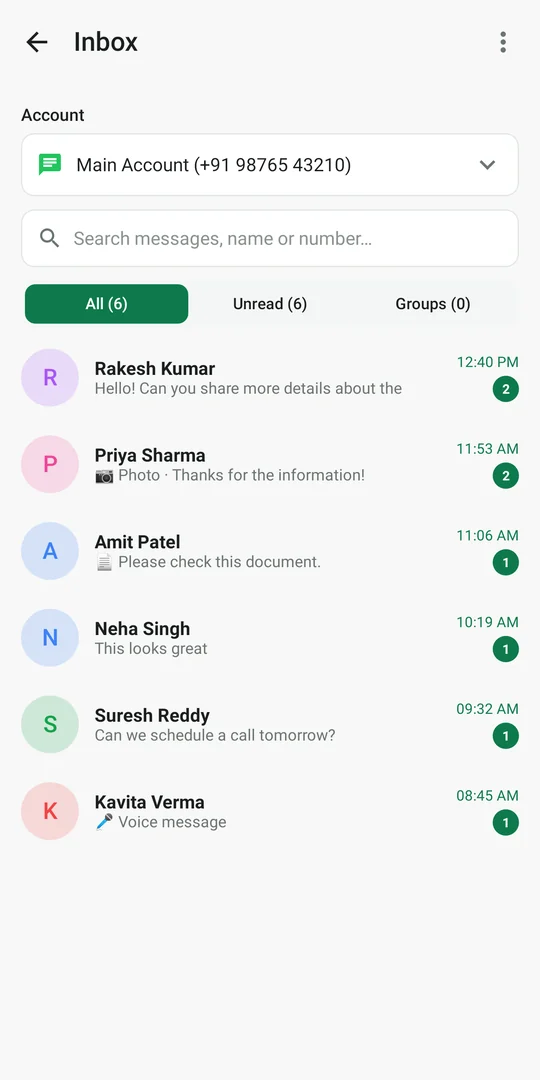
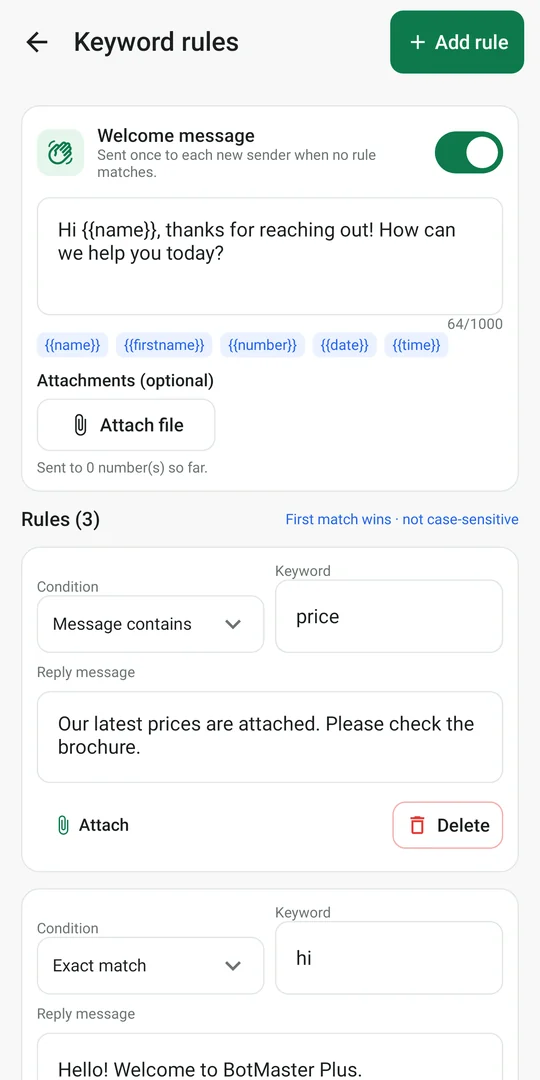
Auto-reply, live
Customers get an answer in seconds, even at midnight. Set keyword rules, a welcome message for new chats, or connect your own AI key.
pricesends your latest price listhi,hellosend a friendly welcome- Anything else can go to your AI assistant
Start in three steps
Install and try free
Install BotMaster Plus and start the free demo, or activate your licence key.
Link your number
Enter your number, then type the pairing code in WhatsApp under Linked devices. Works on the same phone.
Import and send
Add recipients, write your message, choose delays and start, or schedule it for later.
Try it free, then pick a licence
One licence works on one device, your phone or your computer.
Free demo
No time limit, no card.
- 10 messages on this device
- All features unlocked
- Multiple numbers
- Auto-reply and tools
Licence
Plans for shops, agencies and resellers.
- Unlimited messages
- Same key as the desktop app
- Free updates while the licence is valid
- WhatsApp support from our team
Your responsibility
Use BotMaster Plus responsibly and follow WhatsApp's Terms of Service and the law. Sending unwanted messages can get a number restricted or banned. We are not responsible for bans or restrictions.
Staying safe
- Use a dedicated number, not your personal one.
- Start with small campaigns.
- Only message people who expect it.
- Use delays, rotation and the warmer.
- Follow WhatsApp's latest policies.
Questions, answered
Is BotMaster Plus an official WhatsApp app?
No. BotMaster Plus is an independent product of IMSOCLIP SOLUTIONS PVT LTD. It connects to your own WhatsApp account as a linked device, the same way WhatsApp Web does. It is not affiliated with WhatsApp or Meta.
Does it work with WhatsApp Business numbers?
Yes. Both WhatsApp and WhatsApp Business numbers can be linked. Your phone keeps working normally; BotMaster Plus appears under Linked devices.
Can I link more than one number?
Yes. Add as many numbers as you need and send from them one after another (rotation) or all at the same time.
Where are my contacts and messages stored?
On your phone. Recipient lists, messages, reports and the inbox are kept in the app's private storage and never uploaded to our servers. You can back them up yourself from Settings.
Does the phone need to stay on?
Yes, while a campaign runs or a scheduled campaign is due, and for auto-replies. The app keeps working with the screen off and shows its progress in a notification.
Is there a free trial?
Yes. Install the app and tap "Try free" to send 10 messages with all features, with no time limit. Activate a licence key any time to keep going.
I already use BotMaster Plus on my computer. Can I use the same licence?
Yes. The Android app uses the same licence keys as the desktop app. Each licence works on one device at a time, either the phone or the computer.
Can sending many messages get my number banned?
It can, if people report your messages as spam. Only message customers who expect to hear from you, start small, use delays and warm new numbers. The app is built to help you send responsibly.

Get BotMaster Plus
Free demo with 10 messages. Questions? We reply on WhatsApp.